星核进销存-1.0 海王星商品管理功能
星核进销存-1.0 海王星商品管理功能
系统截图
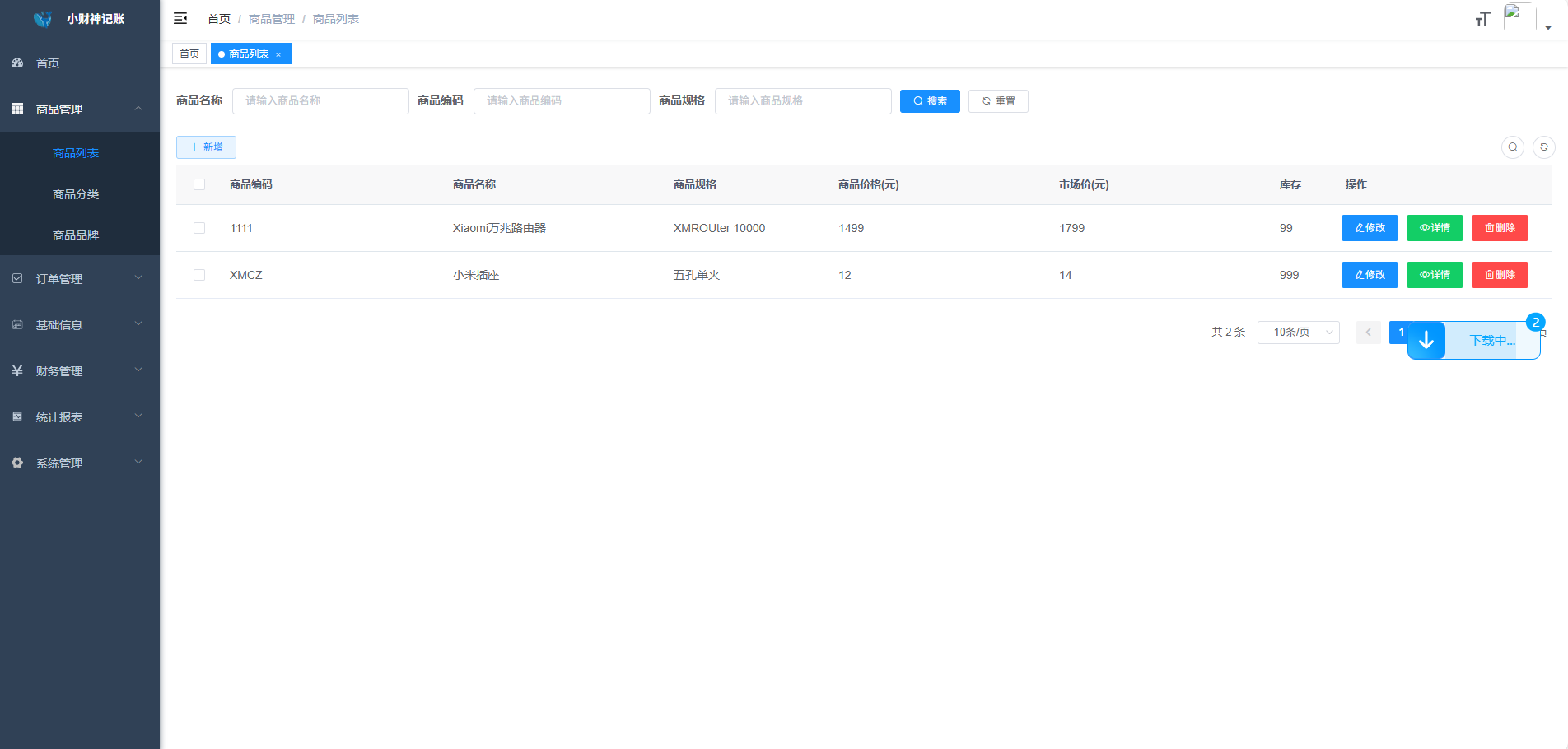

星核进销存-1.0 海王星商品管理功能
PYTHON项目PYCHARM+VIRTUALENV 本地调试+LINUX部署
背景
tensorflow(tf)是一个十分流行的python机器学习库,你现在手里有两个tf项目,其中项目A需要使用python2.7 + f1.2,项目B需要使用python2.7 + tf1.6.这两个项目你得同时进行,怎么办?
愚蠢的办法是需要运行项目A时,将python2.7中的tf1.6卸载掉,安装tf1.2;需要运行项目B时,将python2.7中的tf1.2卸载掉,安装tf1.6。如果是单个模块还好,但是tf的不同版本又依赖于python中的其他已安装模块,而且tf1.2和tf1.6对依赖模块有不同的版本要求,那么转换一次得卸载安装好几个模块,是不是很爆炸?
背景2:
课题组里几个同门共用一台服务器,每个人拥有一个系统账户,其中只有一个人拥有root权限,里面每个人都需要使用python跑程序,而且每个人对python版本以及python模块的版本都有不同需求,很多人又没有root权限,如何解决?
退出虚拟机
deactivate
服务器上安装virtualenv
# python3 的 pip3
pip3 install virtualenv
# 创建环境ENV
virtualenv ENV
cd ENV
# 启用此环境,后续命令行前面出现(ENV)代表此时环境已切换,
source ./bin/activate
# 之后执行pip python3 等指令,相当于是在此环境中执行
pip3 install -r /opt/flask2/requirements.txt
# 此时看到依赖已安装,
pip3 list
# 运行,
python3 /opt/flask2/flask2.py
hutool时间操作类;获取当前时间;字符串和时间戳的格式转换等操作
 // 图片数量限制
    limit: 1,
    //页面上存的暂时图片地址List
    fileList: [{url: ""}],
    //图片地址
    imageUrl: "",
    dialogVisible: false,
    imgUpload: {
      // 设置上传的请求头部
      headers: {
        Authorization: "Bearer " + getToken()
      },
      // 图片上传的方法地址:
      url: process.env.VUE_APP_BASE_API + "/system/articles/upload",
    }
<!--:action里面放图片上传调取的后台方法 :headers设置上传的请求头部,使请求携带自定义token,获取访问权限 -->
<!--:on-success图片上传成功后的回调方法,用于拿到图片存储路径等信息-->
<!--:before-upload图片上传前的逻辑判断,例如判断图片大小,格式等-->
<!--:on-preview图片预览方法 :on-remove图片删除方法 list-type代表文件列表的类型 -->
<!--file-list存放成功上传图片列表,这里此属性用于修改功能时页面已有图片的显示-->
<el-form-item label="预览缩略图" prop="articleImg" label-width="40">
<el-upload
            :action="imgUpload.url"
            :headers="imgUpload.headers"
            list-type="picture-card"
            :limit="limit"
            :on-exceed="handleExceed"
            :on-success="handlePictureSuccess"
            :before-upload="beforeAvatarUpload"
            :on-preview="handlePictureCardPreview"
            :file-list="fileList"
          >
            <i class="el-icon-plus"></i>
          </el-upload>
          <el-dialog :visible.sync="dialogVisible">
            <img width="100%" v-if="imageUrl" :src="imageUrl" alt="">
          </el-dialog>
</el-form-item>
@Log(title = "文章图片上传", businessType = BusinessType.UPDATE)
@PostMapping("/upload")
public AjaxResult avatar(@RequestParam("fileimg") MultipartFile file) throws IOException
{
    if (!file.isEmpty())
    {
        LoginUser loginUser = tokenService.getLoginUser(ServletUtils.getRequest());
        String imgurl = FileUploadUtils.upload(XJConfig.getUploadPath(), file);

        AjaxResult ajax = AjaxResult.success();
        ajax.put("imgUrl", imgurl.substring(1));

        return ajax;
    }
    return AjaxResult.error("上传图片异常,请联系管理员");
}
msg: "操作成功", imgUrl: "profile/upload/2022/05/15/3b59f532-e6f3-4396-a478-895b86750777.png", code: 200}
code: 200
imgUrl: "profile/upload/2022/05/15/3b59f532-e6f3-4396-a478-895b86750777.png"
msg: "操作成功"
beforeAvatarUpload(file) {
  const isJPG = file.type === 'image/jpeg' || file.type == 'image/png';
  const isLt2M = file.size / 1024 / 1024 < 5;
  if (!isJPG) {
    this.$message.error('上传头像图片只能是 JPG/PNG 格式!');
  }
  if (!isLt2M) {
    this.$message.error('上传头像图片大小不能超过 5MB!');
  }
  return isJPG && isLt2M;
},
//图片预览
handlePictureCardPreview(file) {
  console.log("444444444444",file);
  this.imageUrl= file.url;
  this.dialogVisible = true;
},
//图片上传成功后的回调, file
handlePictureSuccess(res) {
  //设置图片访问路径 (articleImg 后台传过来的的上传地址)
  console.log("111",res.imgUrl);
  this.$forceUpdate();
  this.imageUrl= process.env.VUE_APP_BASE_API +res.imgUrl;
},
// 文件个数超出
handleExceed() {
  this.$modal.msgError(`上传链接LOGO图片数量不能超过 ${this.limit} 个!`);
},
/** 提交按钮 */
submitForm() {
  this.$refs["form"].validate(valid => {
    if (valid) {
      if (this.form.id != null) {
        updateGoods(this.form).then(response => {
          this.msgSuccess("修改成功");
          this.open = false;
          this.getList();
        });
      } else {
        addGoods(this.form).then(response => {
          this.msgSuccess("新增成功");
          this.open = false;
          this.getList();
        });
      }
    }
  });
},
https://www.cnblogs.com/springclout/p/16066242.html
https://blog.csdn.net/qq_44872773/article/details/124232965
技术依赖:如无特殊说明;所有配置和技术选型均采用Ruoyi-vue快速开发框架
    SpringBoot
    Mybatis
    Mysql
    vue-element ui
说明:一个订单中有多种商品;所以有一个订单表有一个订单详情表
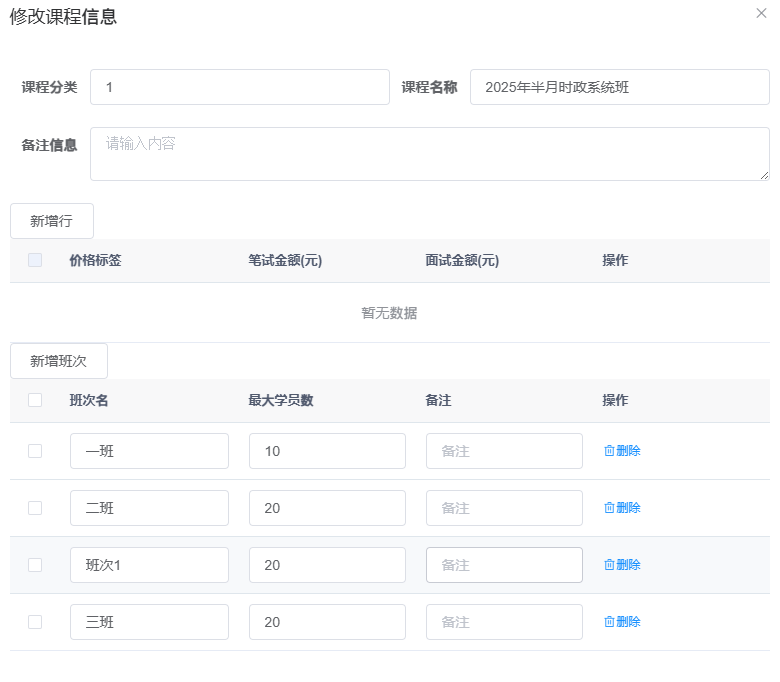
表结构设计:
订单表:order
order_id 订单表ID
订单详情表:order_items
    id :详情表ID
    order_id:订单表ID
    goods_id:商品ID
增加订单:
Controller层代码:
mybatis xml的写法
collection主要是应对表关系是一对多的情况
property:属性
javaType:

<resultMap>
     <result property="orderId"    column="order_id"    />
     <result property="goodsAmount"    column="goods_amount"    />
     <collection property="orderItems" column="dept_id" javaType="java.util.List" resultMap="orderItemsResult" />
</resultMap>

<resultMap id="YshopOrderItemsResult" type="orderItems">
    <id  property="id"  column="id" />
    <result property="goodsId" column="goods_id"/>
    <result property="price" column="price"/>
</resultMap>
 <resultMap type="YshopGoodsType" id="YshopGoodsTypeResult">
    <result property="id"    column="id"    />
    <result property="name"    column="name"    />
    <result property="params"    column="params"    />
    <collection property="students" ofType="Student">
        <result property="id" column="sid"/>
        <result property="name" column="sname"/>
        <result property="tid" column="tid"/>
    </collection>
    <collection property=""></collection>
</resultMap>
 /*java代码*/
 public Order selectById()
select * from order left join order_items on order.id=order_items.order_id where order.id=100;
方式二:mybatis 一对多查询方式二
相关文章:
    《事务的处理》
     https://blog.csdn.net/weixin_46645338/article/details/123987406
     https://blog.csdn.net/weixin_45877245/article/details/119821218
[1]: